Daily visibility
Know what arrived fast
Digest emails and dashboard activity keep new mail visible without manual checking.
Receive mail at a real street address, view incoming items online, request scans or forwarding, and automate routine mail handling from one simple dashboard.
See available locations and pricing.
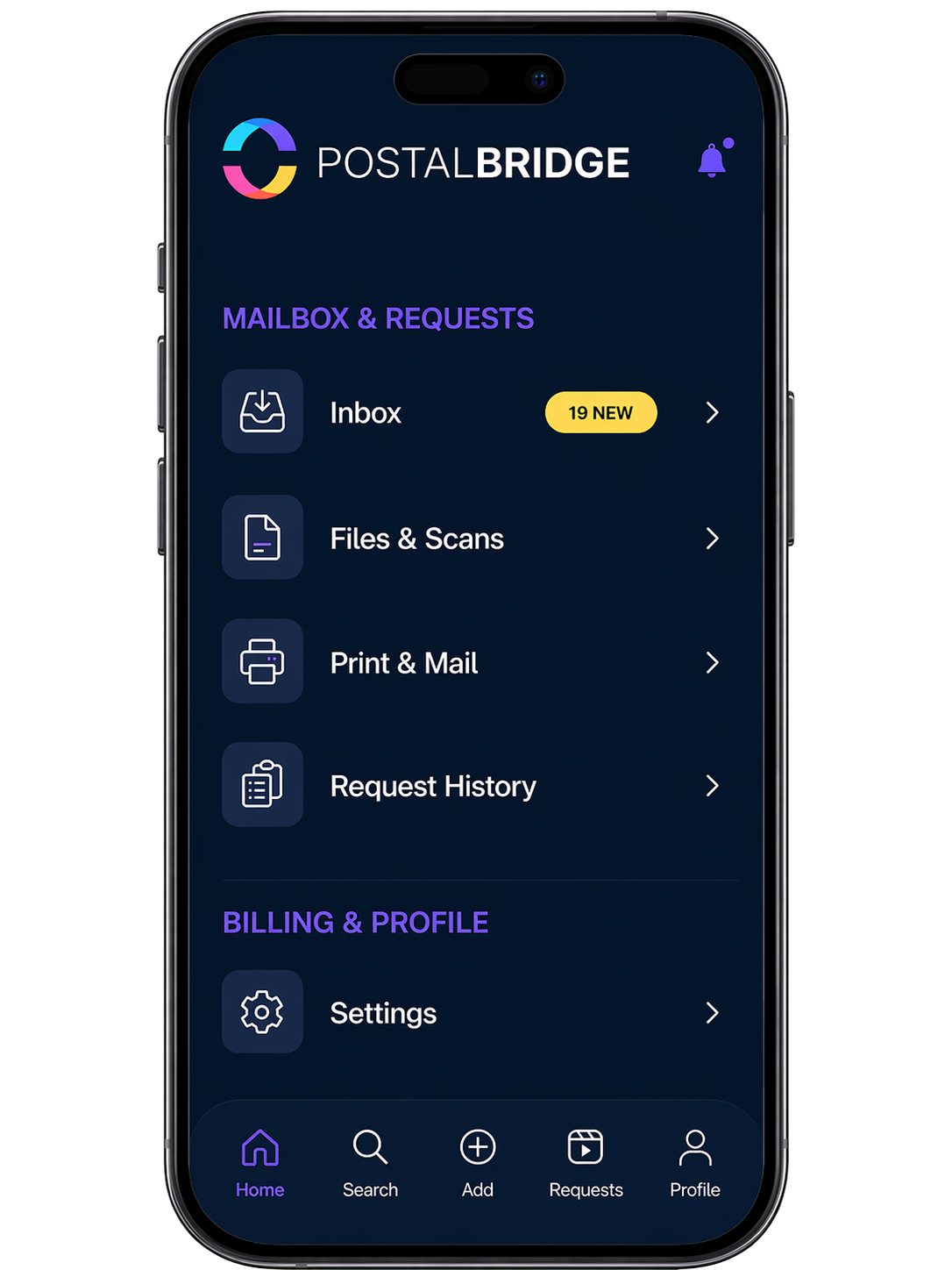
Daily visibility
Digest emails and dashboard activity keep new mail visible without manual checking.
Web + iOS + Android
Review items, requests, and updates from desktop or mobile with the same workflow.
Rules + requests
Automate repeat decisions and step in manually when a specific item needs attention.
Households + teams
Keep approved recipients, family members, or teammates aligned in one mailbox workflow.
Business services
Get a dedicated U.S. business number for calls, voicemail, and a cleaner business-facing presence.
Explore Business Phone
Business services
See how PostalBridge brings together a real business address, digital mailbox workflow, and business phone service.
Explore Business Address + Phone
PostalBridge combines visibility, automation, shared access, and request handling into one surface designed around the way customers actually manage incoming mail.
See incoming envelopes, packages, request history, address details, and mailbox activity from one secure dashboard.
Visibility
See new mail without waiting for manual follow-up.
Control
Request scans, forwarding, and next actions from the same surface.
Continuity
Keep the same flow on web, iPhone, and Android.
Get an informed-delivery-style daily email digest showing what arrived, what needs attention, and what actions are available.
Create rules for repeat mail workflows, such as scanning IRS letters, flagging government mail, forwarding certain senders, or archiving low-priority items.
Automation capabilities may vary by account and workflow.
Add approved recipients, invite family members or teammates, and keep mailbox activity organized without sharing one personal login.
Mail moves through PostalBridge as a sequence of status-rich decisions with daily visibility, rules automation, and request tracking at every step.
Daily digest
3 new items today
IRS Letter
Department of the Treasury
Package Update
Amazon Logistics
Bank Statement
Chase Bank
Request status
Scan in progress
Your mail center checks in envelopes and packages to your digital mailbox.
View new items in your dashboard or daily digest email.
Eligible items can be flagged, scanned, or routed based on your preferences.
Request a scan, forward an item, archive it, pick it up, or shred it where supported.
Follow request status and support tickets from your account.
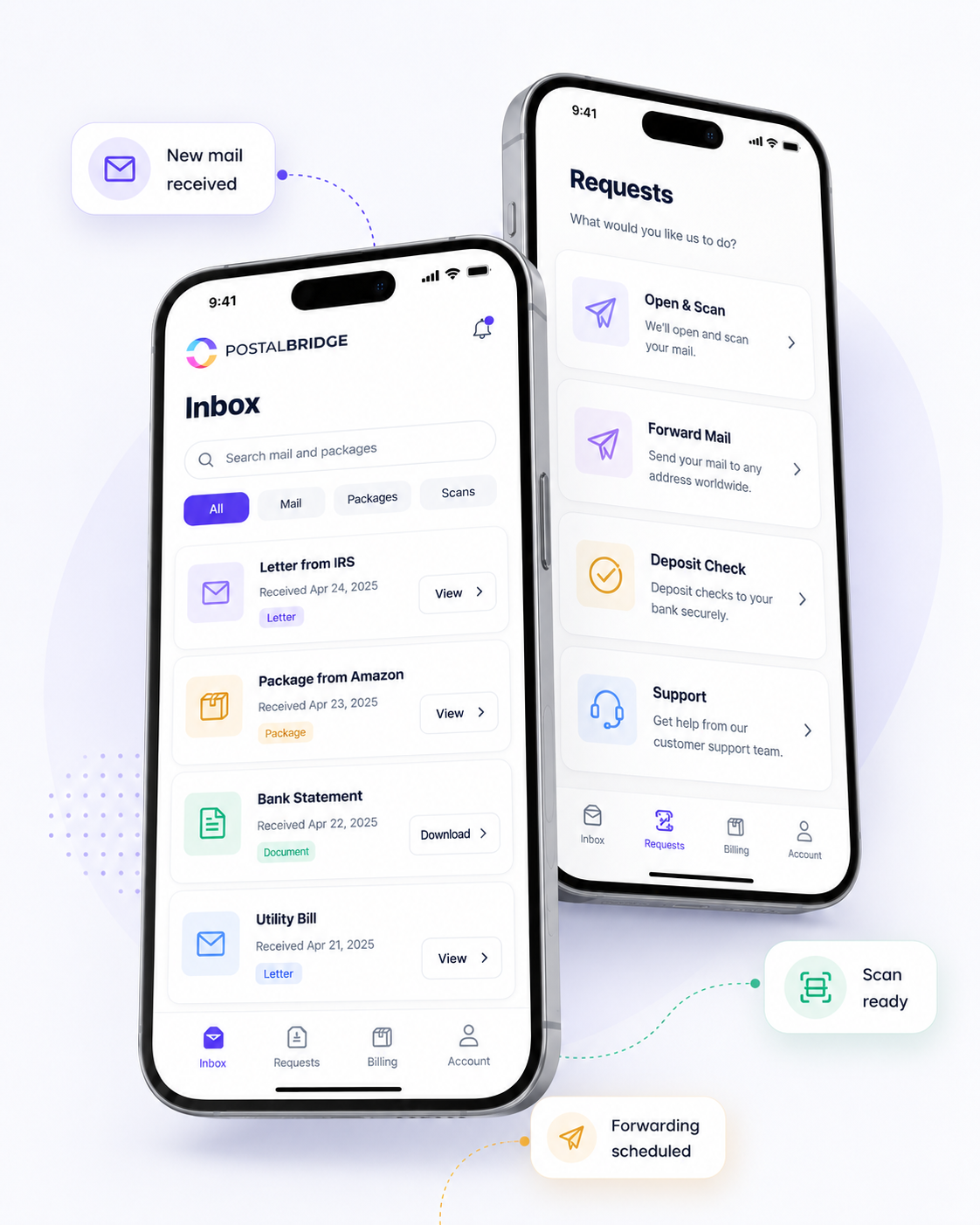
Access the same mailbox dashboard, requests, and notifications from your phone, tablet, or computer without missing a beat.


When you need help with Form 1583, forwarding, billing, or request status, support is integrated directly into your account so you never feel handed off to a separate system.
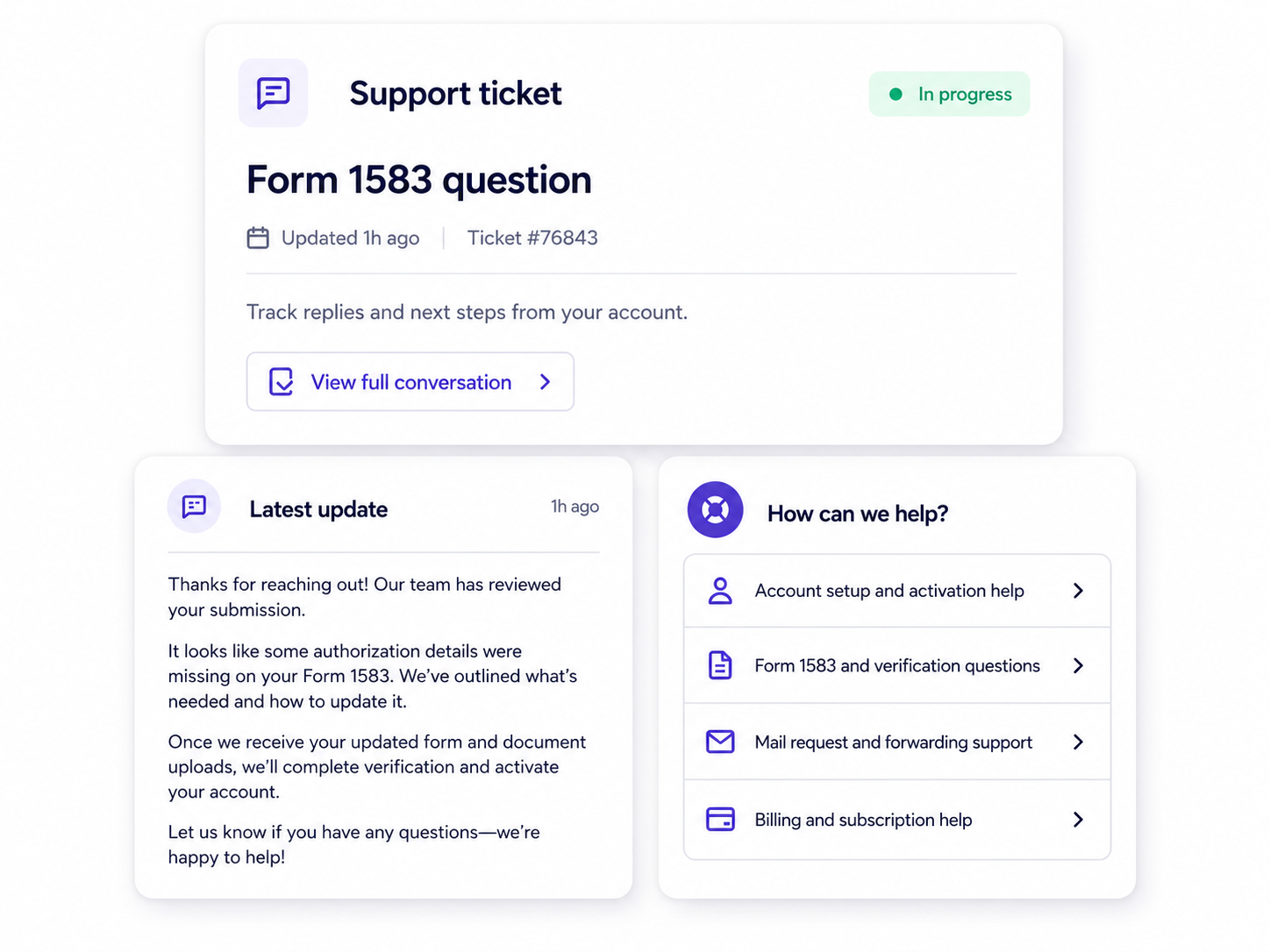
Browse PostalBridge functionality organized by visibility, action requests, automation, shared access, and guided support.
See incoming envelopes, packages, request history, address details, and mailbox activity from one secure dashboard.
Get an informed-delivery-style daily email digest showing what arrived, what needs attention, and what actions are available.
Request full-content scans for important items and receive digital documents you can view, download, or archive.
Scan fees may apply based on the item and mail center.
Forward eligible mail and packages to the address that makes sense now, with request tracking and clear handling steps.
Postage, carrier rates, handling, or package fees may apply.
Create rules for repeat mail workflows, such as scanning IRS letters, flagging government mail, forwarding certain senders, or archiving low-priority items.
Automation capabilities may vary by account and workflow.
Manage your mailbox from the web or from PostalBridge mobile apps for iOS and Android.
Add approved recipients, invite family members or teammates, and keep mailbox activity organized without sharing one personal login.
Open support tickets, track requests, and get help with mailbox activation, verification, billing, and mail handling questions.
Availability and included credits can vary by plan, location, and request type.
Every mailbox includes tools to view activity, track requests, and manage mail online. Lower-cost plans keep the monthly price lean with request-based services, while Plus plans include monthly scan/shred credits.
Core tools
Request-based services
Some Plus plans include monthly scan/shred credits. Extra pages, postage, package handling, and location-specific services may still apply.
| Feature | What it helps you do | Good for |
|---|---|---|
| Digital mailbox dashboard | See activity, address details, package check-ins, and request history in one place. | Anyone who wants one clear view of mailbox activity. |
| Daily mail digest emails | Review new mailbox activity in an informed-delivery-style summary without constant manual checking. | Busy customers who want proactive visibility. |
| Scan requests | Turn important physical mail into digital documents you can review, download, or archive. | Time-sensitive documents and remote review workflows. |
| Forwarding requests | Send eligible mail or packages where you need them next, with tracking and clear handling steps. | Travel, relocation, or distributed teams. |
| Mail rules automation | Route repeat mail decisions into repeatable workflows such as flagging, scanning, or forwarding. | Customers with recurring sender or document patterns. |
| Mobile apps | Check mailbox activity, requests, and updates from the device you already use every day. | Customers who manage mail away from their desk. |
| Recipients/team access | Keep mailbox activity organized across approved recipients, family members, or teammates. | Households, businesses, and shared mail workflows. |
| Ticket-based support | Give you a clear path for activation, billing, request, and mail-handling questions. | Anyone who wants accountable support instead of guesswork. |
| Secure verification | Complete Form 1583 and identity checks with guided steps and secure document handling. | New customers activating a real mail-receiving mailbox. |
Choose a real U.S. street address, activate your mailbox, and use PostalBridge tools to view, scan, forward, automate, and organize mail online.
See available locations and pricing.